Update: Cloak 1.1! + Artists: Win an Espionage license!
The other day we received a nice email from Nenette asking us whether Espionage could hide its encrypted folders. While Espionage does not have this capability, the desired effect is achievable by placing the Espionage’d folder inside of a hidden folder.
There are two main methods of making a file or folder invisible in Mac OS X:
- Prefix the file/folder name with a dot. (Example: .Hidden)
- Set a special “invisible” attribute on the file.
I began a search to find a program that I could recommend to accomplish this task, but wasn’t able to find one to my liking. Racing against our self-imposed 24-hour support-response time limit, I managed to whip out Cloak1:
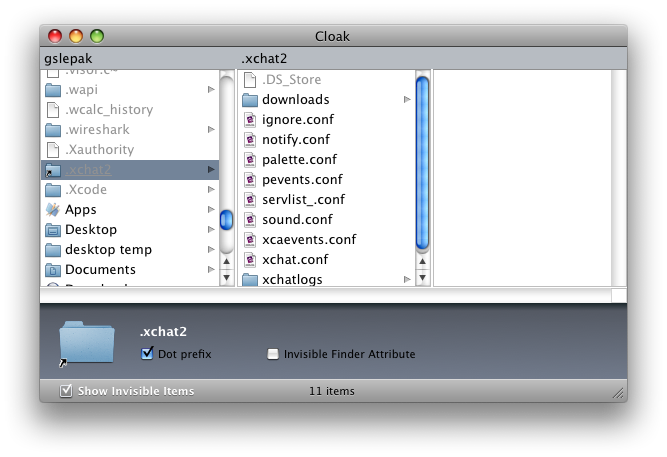
The application itself should hopefully be intuitive enough as to be self-explanatory, although one tip is that you can open a file or folder by double-clicking on it.
With regards to Espionage, it should be noted that hiding an encrypted folder is not necessary, as without the password to the folder (or the master password) its contents are not visible, nor can they be accessed. Still, maybe someone will find this application useful.
Enjoy! 🙂

1Originally it was called “Invisinator”, but my good friend Lizzy suggested Cloak, a far less stupid sounding name.